
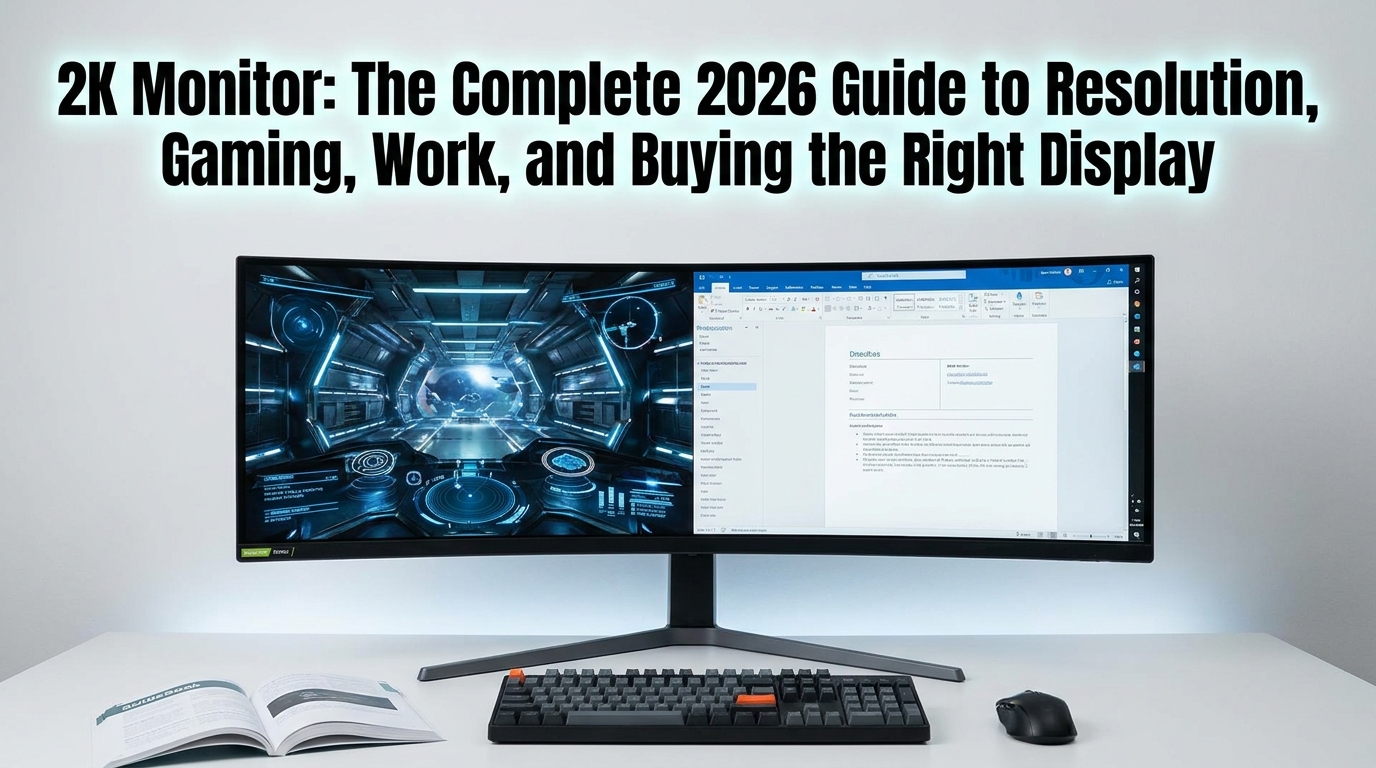
2K Monitor: The Complete 2026 Guide to Resolution, Gaming, Work, and Buying the Right Display
If you are shopping for a 2k monitor, you have probably noticed that the term appears everywhere—from gaming displays and productivity screens to budget office monitors and premium high-refresh-rate panels. But what does 2K actually mean, and is a 2K display still worth buying in 2026? For most consumers, the term refers to a 2560 × 1440 resolution, commonly called QHD or 1440p. It sits between Full HD and 4K, offering an excellent balance of image sharpness, performance, price, and graphics-card requirements.
That balance is exactly why the 2k monitor has become such a popular choice for PC gaming, remote work, content creation, programming, studying, and everyday entertainment. You get substantially more screen detail than 1080p without requiring the same GPU performance demanded by 4K gaming.
However, not every 2k monitor delivers the same experience. Panel technology, refresh rate, response time, contrast, HDR capability, color coverage, connectivity, ergonomics, and pixel density can dramatically change what you see and how the display feels.
This guide explains everything you need to know before buying one, including the difference between 2K and 1440p, ideal screen sizes, gaming performance, panel types, refresh rates, HDR, connectivity, productivity benefits, and common buying mistakes.
What Is a 2K Monitor?
The phrase 2k monitor is commonly used by manufacturers and consumers to describe a display with a resolution of 2560 × 1440 pixels, also known as QHD, Quad HD, or 1440p.
Technically, there is an important distinction. The digital cinema standard commonly associated with “2K” is approximately 2048 × 1080, while 2560 × 1440 is technically QHD. Nevertheless, in the consumer PC monitor market, “2K” is frequently used as shorthand for 2560 × 1440.
That terminology matters when shopping because searching specifically for “2K” can sometimes produce products with different specifications. Always check the actual resolution rather than relying exclusively on the marketing label.
A 2k monitor with a 2560 × 1440 resolution contains about 3.69 million pixels. A standard 1920 × 1080 Full HD screen has about 2.07 million pixels, while 3840 × 2160 4K has approximately 8.29 million.
This puts 1440p in a useful middle position. It delivers a noticeable sharpness improvement over 1080p while being considerably easier for a graphics card to drive than 4K.
Why Is a 2K Monitor So Popular?
The biggest advantage of a 2k monitor is balance.
A 1080p monitor can be affordable and relatively easy to run, but text and fine details become less crisp as screen sizes increase. A 4K monitor provides exceptional detail, but gaming at native 4K can require substantially more graphics processing power.
A 2k monitor provides a middle ground that works particularly well at 27 inches. At this size, 2560 × 1440 produces a dense, sharp desktop image without making Windows interface elements unnecessarily tiny.
For gamers, 1440p also allows a modern mid-range or high-end graphics card to target high refresh rates without pushing the same number of pixels required by 4K.
For office workers, the additional horizontal and vertical workspace can make documents, spreadsheets, browser windows, development environments, and creative applications easier to manage.
This versatility explains why 1440p displays remain attractive even as 4K and ultrawide monitors become more accessible.
2K vs 1080p vs 4K: What Is the Difference?
The simplest way to understand these resolutions is to look at pixel count.
Full HD, or 1920 × 1080, is the traditional 1080p standard. It remains useful for budget gaming and general office work, especially on smaller screens.
A 2k monitor using 2560 × 1440 offers around 78% more pixels than 1080p. That additional information creates sharper text, more detailed game environments, and more desktop workspace.
4K, or 3840 × 2160, has four times as many pixels as 1080p. It produces exceptionally detailed images, but the increased workload can significantly reduce gaming frame rates unless you have capable hardware.
For many PC users, 1440p therefore represents a practical sweet spot.
If you primarily play competitive games and want extremely high frame rates, 1440p can be an excellent choice. If you edit high-resolution photographs or video professionally, 4K may make more sense. If your priority is affordability and basic computing, 1080p remains perfectly usable.
Is a 2K Monitor Good for Gaming?
Absolutely. A 2k monitor is one of the strongest choices for modern PC gaming because it combines high image quality with manageable GPU requirements.
The resolution provides noticeably sharper textures and environments than 1080p. At the same time, rendering 1440p requires substantially less GPU power than native 4K.
Refresh rate is equally important. A 60Hz display refreshes the image 60 times per second, while 144Hz, 165Hz, 180Hz, 240Hz, and higher monitors can provide substantially smoother motion.
For casual gaming, a 100Hz or 144Hz 2k monitor can already feel dramatically smoother than a traditional 60Hz screen.
Competitive players may prefer 165Hz, 180Hz, 240Hz, or higher depending on their hardware and the games they play. Faster refresh rates are particularly useful in esports titles where motion clarity and responsiveness matter.
However, buying the highest refresh rate available is not automatically the best decision. Your graphics card and processor need to produce enough frames to take advantage of that refresh rate.
What Refresh Rate Should You Choose?
For most people, 144Hz to 180Hz is an excellent range.
A 120Hz or 144Hz 2k monitor provides a major improvement over 60Hz for gaming and even makes ordinary scrolling and window movement feel smoother.
A 165Hz or 180Hz model is an attractive choice for gamers who want additional responsiveness without paying the premium associated with extreme refresh rates.
Competitive esports players may consider 240Hz or higher. The benefit becomes more specialized as refresh rates increase, particularly when the system can consistently generate very high frame rates.
For productivity, refresh rate is less critical than resolution, text clarity, ergonomics, and panel quality. Still, a 120Hz-plus display can make everyday interaction feel more fluid.
Response Time and Motion Clarity
Response time describes how quickly pixels can change from one color or brightness state to another.
A 2k monitor advertised as having a 1ms response time can sound automatically superior, but specifications require context. Manufacturers may measure response times using different methods, and an advertised minimum does not necessarily represent typical performance across all transitions.
For gaming, look for independent measurements of pixel response behavior and overshoot when possible.
Excessive pixel overdrive can introduce inverse ghosting, while slow transitions can create visible trails behind moving objects. The ideal monitor balances fast transitions with controlled overshoot.
VESA’s ClearMR initiative is designed to provide standardized motion-clarity measurements, giving consumers another way to compare display performance beyond simple manufacturer response-time claims.
IPS, VA, OLED, or Other Panel Technology?
Panel technology can have a major effect on your experience.
IPS panels are popular because they generally provide strong viewing angles, good color performance, and balanced gaming characteristics. A modern IPS 2k monitor is often an excellent all-purpose option for gaming, work, and creative applications.
VA panels generally offer stronger native contrast than conventional IPS LCDs. This can make dark scenes and movies look more convincing. However, some VA displays can exhibit slower dark-level transitions.
OLED is a premium option. Because OLED pixels can independently switch off, OLED displays can produce extremely deep blacks and exceptionally high perceived contrast. They also tend to offer very fast pixel response.
The trade-off is cost and the need to consider long-term usage patterns, including static elements and the potential for image retention or burn-in depending on the technology and implementation.
Mini-LED LCD displays can provide another premium alternative, using many local-dimming zones to improve HDR contrast while retaining an LCD architecture.
The right panel depends on what you value most rather than simply choosing the newest technology.
Is a 27-Inch 2K Monitor the Best Size?
For many users, yes.
A 27-inch 2k monitor is widely considered an excellent combination because 2560 × 1440 provides strong pixel density at that physical size.
Text tends to look significantly sharper than on a 27-inch 1080p display. At the same time, interface elements remain reasonably comfortable without requiring aggressive scaling.
A 24-inch 1440p display offers even higher pixel density, although some users may prefer the larger physical workspace of 27 inches.
At 32 inches, 1440p remains usable, especially for gaming, but the lower pixel density compared with 27-inch 1440p becomes more noticeable at close viewing distances.
If your priority is desktop productivity and sharp text, 27 inches is a particularly safe recommendation.
Color Accuracy and Gamut Matter
Resolution is only one part of image quality.
A 2k monitor with excellent resolution but poor color reproduction may look less impressive than a lower-resolution display with better calibration and panel characteristics.
Common color-gamut specifications include sRGB, DCI-P3, and Adobe RGB. sRGB remains important for general web content and everyday computing, while broader gamuts such as DCI-P3 are increasingly relevant for HDR entertainment and creative workflows.
If you edit photographs or video, look beyond marketing claims and check independent measurements for color accuracy, gamut coverage, uniformity, and calibration behavior.
For general users, a display offering strong sRGB coverage and reasonable factory calibration can be more useful than paying extra for an extremely wide gamut that is not required for their workflow.
HDR: Is It Worth Paying Extra?
High Dynamic Range can improve highlights, shadow detail, contrast, and overall image depth—but HDR quality varies enormously.
A 2k monitor with basic HDR support is not necessarily a genuine high-performance HDR display. Some inexpensive displays accept HDR signals without having the brightness, contrast, or local dimming capability needed to produce a convincing HDR image.
VESA’s DisplayHDR certification exists to make HDR performance easier to compare. The standard evaluates characteristics including luminance, color gamut, bit depth, contrast-related performance, and other display characteristics. VESA updated DisplayHDR to version 1.2 with tighter requirements covering areas such as luminance, color accuracy, black levels, and color gamut.
VESA also offers DisplayHDR True Black for emissive technologies such as OLED. Its newer True Black 1400 tier, announced in July 2026, targets high-end OLED displays and requires at least 1400 cd/m² peak luminance and 700 cd/m² full-screen brightness under its specified testing conditions.
The lesson is simple: don’t buy a monitor solely because the box says “HDR.”
Adaptive Sync and Variable Refresh Rate
A modern gaming 2k monitor should ideally support adaptive synchronization technology.
Variable refresh rate technology allows the display’s refresh behavior to synchronize more closely with the graphics card’s frame output. This can reduce visible tearing and help maintain smoother gameplay when frame rates fluctuate.
Depending on the monitor and graphics hardware, you may encounter technologies and certifications associated with AMD FreeSync, NVIDIA G-SYNC, or VESA Adaptive-Sync.
Compatibility should be checked carefully, particularly when using a monitor with a graphics card from a different vendor.
For gaming, adaptive sync can be more practically valuable than a small increase in maximum refresh rate because real-world frame rates are rarely perfectly constant.
Choosing the Right Ports
Connectivity is easy to overlook when purchasing a 2k monitor, but it can determine whether you can actually use the features you paid for.
DisplayPort is commonly used for PC gaming because it can support high refresh rates and advanced display configurations. HDMI is important for gaming consoles, laptops, media devices, and other hardware.
The exact bandwidth and supported modes depend on the monitor and interface generation. A monitor might support 1440p at a high refresh rate through DisplayPort but have different limitations through a particular HDMI input.
USB-C is increasingly valuable for laptop users, especially when the port supports video, USB data, and power delivery.
Some premium displays also include USB hubs, KVM functionality, Ethernet, and multiple video inputs. These features can turn a monitor into the central connection point for a workstation.
VESA notes that DisplayPort is designed to support high resolutions, fast refresh rates, and deep color depths, making the interface particularly relevant for high-performance displays.
A 2K Monitor for Productivity and Office Work
Gaming is not the only reason to choose 1440p.
For office work, a 2k monitor can provide a useful productivity upgrade because you can fit more content on screen without moving immediately to the scaling requirements of 4K.
A programmer can keep a code editor, browser, terminal, and documentation visible simultaneously. A financial analyst can work with larger spreadsheets. A student can read research material while taking notes in another window.
Writers and marketers can benefit from clearer typography and additional workspace as well.
For people who spend many hours reading text, however, ergonomics may matter as much as resolution. Look for a stand with height, tilt, swivel, and pivot adjustment. Good viewing distance, appropriate brightness, and comfortable scaling can reduce visual fatigue during long sessions.
A 2K Monitor for Content Creation
Content creators should evaluate a display differently from gamers.
A photographer may prioritize color accuracy, uniformity, gamut coverage, and calibration. A video editor may care about color space support, HDR capabilities, connectivity, and screen real estate.
A 2k monitor can be suitable for editing social media content, web graphics, photographs, and many video projects. However, professionals working extensively with 4K footage may prefer a 4K reference or editing display.
One useful approach is to use a 1440p high-refresh monitor for general work and gaming while pairing it with a dedicated high-resolution or color-accurate display when professional color-critical work demands it.
How Much Should You Spend?
The best price depends heavily on features.
Budget 1440p monitors can provide the resolution advantage without premium extras. Mid-range models often add high refresh rates, better IPS panels, adaptive sync, improved ergonomics, and stronger color performance.
Premium displays may add OLED technology, Mini-LED backlighting, advanced HDR, extremely high refresh rates, USB-C connectivity, KVM functionality, and superior factory calibration.
Instead of asking, “What is the cheapest 2k monitor?” ask, “Which features will I actually use?”
A gamer should prioritize refresh rate, response behavior, adaptive sync, and GPU compatibility. A professional should prioritize color accuracy and connectivity. A remote worker may value ergonomics, USB-C, text clarity, and multitasking.
What GPU Do You Need for 1440p?
There is no single graphics card that defines the minimum requirement because game settings, frame-rate targets, and titles vary enormously.
Competitive games with optimized graphics can run at very high frame rates on relatively modest hardware. Demanding modern AAA games with ray tracing and ultra settings can require much more powerful GPUs.
The practical advantage of a 2k monitor is that 1440p usually demands considerably less rendering power than 4K while producing a major visual improvement over 1080p.
Upscaling technologies can also change the equation. Modern graphics cards can use technologies such as DLSS, FSR, or XeSS in supported games to improve performance while maintaining useful image quality.
When buying your display, therefore, consider the games you actually play rather than choosing a monitor solely based on theoretical maximum specifications.
Common Mistakes When Buying a 2K Monitor
One common mistake is assuming that every “2K” product has exactly the same resolution. Always verify the actual pixel dimensions.
Another is buying a very high refresh rate without having hardware capable of producing enough frames. A 240Hz display can be excellent, but it may not provide much value if your system regularly operates around 80–100 FPS.
Ignoring ergonomics is another mistake. A beautiful panel with a fixed stand can become frustrating if your desk setup requires precise height adjustment.
Buyers should also avoid treating advertised response time as a complete measure of motion performance. Independent testing is more useful.
Finally, do not assume that every HDR label means premium HDR. VESA certification can provide a more meaningful reference point than vague HDR marketing.
Mini Case Study: Choosing Between 1080p, 1440p, and 4K
Imagine a PC gamer upgrading from a 24-inch 1080p display.
The first option is a 27-inch 1080p monitor. It may offer a higher refresh rate, but the larger screen can make pixel structure more noticeable.
The second option is a 27-inch 2k monitor running at 165Hz. This provides a major increase in pixel density while remaining realistic for high-refresh gaming on capable hardware.
The third option is a 27-inch 4K display. It provides substantially more detail, but achieving high native frame rates can require significantly more GPU performance.
For this hypothetical gamer, 1440p may offer the most balanced upgrade.
This illustrates a broader principle: the “best” monitor is not necessarily the one with the highest specification. It is the one that matches the entire system.
Expert Insight on Display Standards
Roland Wooster, chairman of the VESA DisplayHDR task group and an Intel representative for front-of-screen display technology, described DisplayHDR as “the display industry’s first fully open standard specifying HDR quality.”
That distinction is important for consumers. Display specifications are only useful when their measurements have meaningful testing behind them.
From an evidence-based perspective, display evaluation should therefore consider measurable characteristics such as luminance, contrast, color gamut, color accuracy, response behavior, and motion clarity rather than relying on a single headline specification.
This approach mirrors a broader principle used in technical research: one measurement rarely explains an entire system. A monitor should be evaluated as a combination of resolution, panel technology, motion performance, ergonomics, connectivity, and image quality.
Who Should Buy a 2K Monitor?
A 2k monitor is an excellent choice for PC gamers who want sharper visuals than 1080p without moving all the way to 4K.
It is also highly suitable for programmers, students, writers, office professionals, and multitaskers who want additional desktop space.
Content creators can benefit from 1440p as well, particularly when combined with strong color performance.
It may be less suitable for professionals who require a native 4K workflow or extremely precise reference-grade color reproduction. Similarly, someone with a very limited budget may find a 1080p display more practical.
Frequently Asked Questions
Is 2K the same as 1440p?
In consumer monitor marketing, 2K commonly means 2560 × 1440, which is also called 1440p or QHD. Technically, however, DCI 2K is approximately 2048 × 1080. When shopping, always check the actual resolution rather than relying only on the “2K” label.
Is a 2K monitor better than 1080p?
For many PC users, yes. A 2k monitor provides significantly more pixels than 1080p, producing sharper images and more desktop space. The improvement is especially noticeable on 27-inch screens.
Is 1440p good for gaming?
Yes. A 2k monitor running at 1440p is an excellent gaming resolution because it provides a strong balance between visual detail and graphics performance. Pairing it with a high refresh rate can produce a smooth gaming experience.
Is 27 inches good for a 2K monitor?
A 27-inch 2k monitor is one of the most popular combinations. The resolution provides strong pixel density at this screen size while keeping interface elements reasonably comfortable.
Is 2K better than 4K?
Neither is universally better. A 2k monitor generally requires less GPU power and can achieve higher frame rates more easily, while 4K provides greater image detail. The best choice depends on your hardware, applications, budget, and viewing distance.
What refresh rate should a 2K gaming monitor have?
For most gamers, 144Hz to 180Hz is an excellent range. Competitive players may benefit from 240Hz or higher, provided their PC can generate enough frames to take advantage of the faster refresh rate.
Final Verdict: Is a 2K Monitor Worth It in 2026?
For a large portion of PC users, a 2k monitor remains one of the smartest display choices available.
Its 2560 × 1440 resolution provides a meaningful upgrade over 1080p without imposing the same rendering demands as 4K. Add a 144Hz-to-180Hz refresh rate, responsive pixel performance, adaptive sync, good color reproduction, and an adjustable stand, and you have a display capable of handling gaming, work, entertainment, and everyday computing exceptionally well.
The most important thing is to avoid buying based on one specification alone. Look at resolution, panel type, refresh rate, response behavior, HDR certification, color performance, ports, ergonomics, and your computer’s actual capabilities.
For many buyers, a 27-inch 2k monitor with a high refresh rate and a quality IPS, OLED, or Mini-LED panel will deliver an excellent balance of sharpness, speed, and value.
If you are ready to upgrade, start by defining your primary use—gaming, productivity, creative work, or a mixture of all three—then choose the features that directly support it. That approach will help you find a 2k monitor that feels like a genuine upgrade rather than simply a collection of impressive numbers on a product page.




3 Comments