Best Linux Distro for Gaming in 2026: Complete Guide to Choosing the Right Gaming Linux Distribution
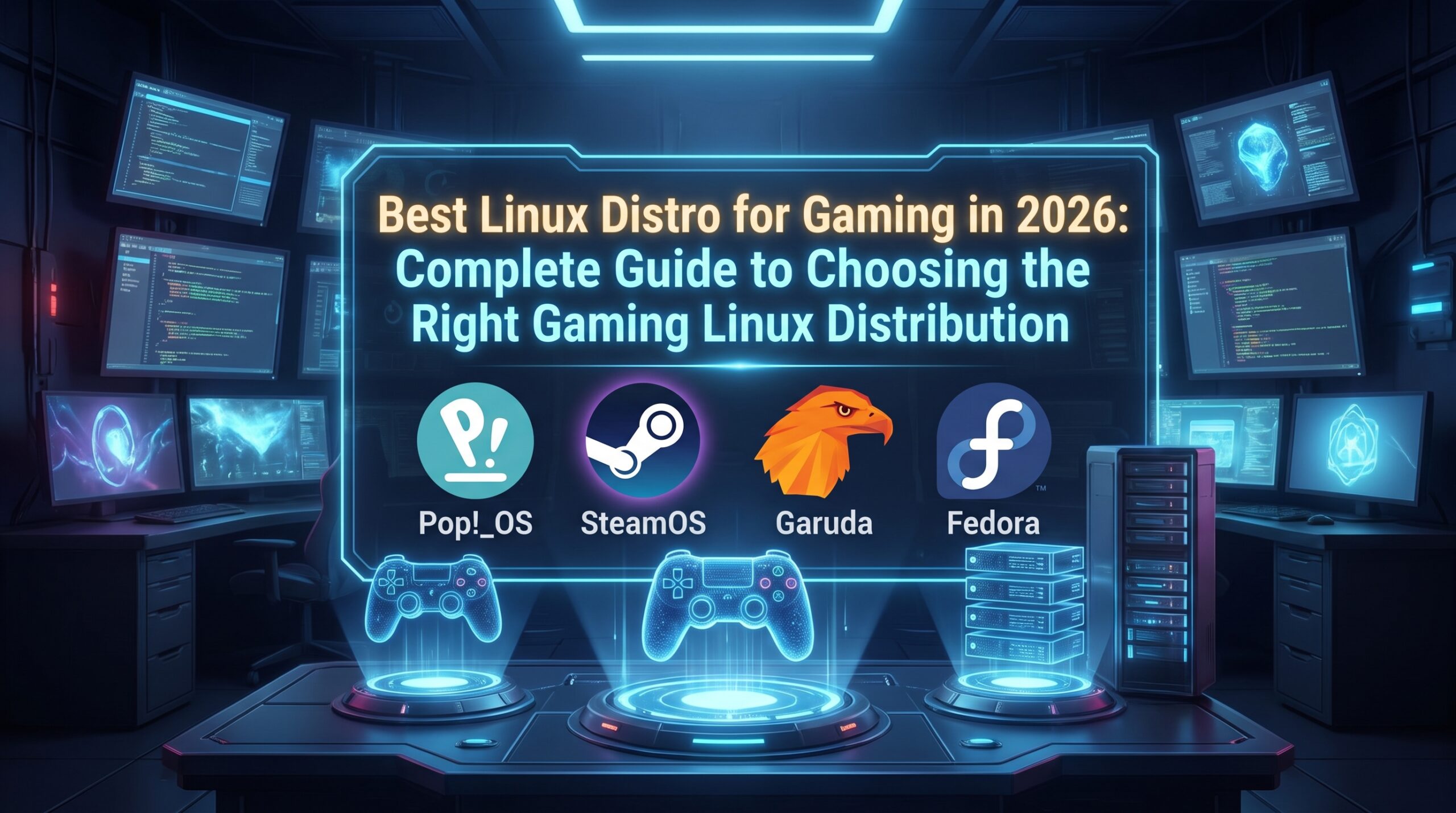
Gaming on Linux has evolved dramatically over the past few years, and choosing the best Linux distro for gaming is no longer as straightforward as it once was. Thanks to Steam Proton, Vulkan, Wine, and improved GPU drivers from NVIDIA, AMD, and Intel, Linux has become a legitimate platform for both casual and hardcore gamers. Whether you’re building a new gaming PC or replacing Windows with an open-source operating system, the right Linux distribution can significantly improve your gaming experience.
This guide explores the strengths and weaknesses of the leading Linux gaming distributions, compares their performance, compatibility, ease of use, and hardware support, and helps you determine which one best fits your gaming style. By the end, you’ll know exactly which distro deserves a place on your gaming rig.
Why Linux Has Become a Serious Gaming Platform
A decade ago, recommending Linux for gaming would have been difficult. Many popular titles lacked native support, GPU drivers were inconsistent, and configuring games often required advanced technical knowledge.
Today, the landscape has changed completely.
Steam’s Proton compatibility layer allows thousands of Windows games to run on Linux with impressive performance. Valve’s investment in the Steam Deck—powered by Linux—has accelerated game compatibility and encouraged developers to optimize for Linux. Modern graphics APIs like Vulkan have narrowed the performance gap between Windows and Linux, while improved driver support has made installation significantly easier.
For many players, Linux now offers:
- Better system stability
- Lower background resource usage
- Greater control over updates
- Enhanced privacy
- Excellent development tools
- Long-term software support
These improvements make finding the best Linux distro for gaming more about selecting the right balance of usability, performance, and customization rather than simply finding one that can run games.
What Makes a Linux Distribution Good for Gaming?
Not every Linux distribution is optimized for gamers. While almost every distro can technically run games, some provide a far smoother experience.
Several factors separate an average Linux distribution from a great gaming platform.
Driver Availability
Graphics drivers are arguably the most important component of gaming performance.
A gaming-friendly distribution should make installing NVIDIA, AMD, or Intel drivers simple and reliable. Automatic driver detection saves time and minimizes compatibility issues.
Modern distributions also ensure drivers receive timely updates, improving support for new game releases.
Steam and Proton Support
Steam is the heart of Linux gaming.
The ideal gaming distro should install Steam effortlessly and fully support Proton, allowing Windows-exclusive titles to run with minimal configuration.
Valve’s ongoing Proton development has dramatically increased Linux game compatibility, with thousands of verified titles available.
Performance Optimization
Background services can consume CPU cycles and memory.
Gaming-focused distributions often minimize unnecessary processes, optimize kernel scheduling, and improve responsiveness under heavy workloads.
While differences between distributions are usually modest, lighter operating systems may deliver slightly better frame consistency on older hardware.
Software Availability
Gamers frequently install additional applications such as:
- Discord
- OBS Studio
- Heroic Games Launcher
- Lutris
- MangoHud
- GameMode
- Bottles
A strong software repository makes these tools easy to install and maintain.
Hardware Compatibility
Good gaming distributions recognize modern hardware immediately.
This includes:
- Wi-Fi adapters
- Gaming mice
- RGB keyboards
- Bluetooth controllers
- Xbox controllers
- PlayStation controllers
- VR headsets
Excellent hardware compatibility reduces troubleshooting and lets users start gaming quickly.
Ubuntu: The Beginner-Friendly Gaming Choice
Ubuntu remains one of the most recommended operating systems for Linux newcomers.
Although it wasn’t designed specifically for gaming, its enormous software ecosystem makes it a reliable option.
Why Gamers Choose Ubuntu
Ubuntu benefits from:
- Massive community support
- Extensive documentation
- Stable software repositories
- Easy Steam installation
- Broad hardware compatibility
Almost every Linux gaming tutorial assumes you’re using Ubuntu or an Ubuntu-based distribution.
If something goes wrong, finding solutions is remarkably easy.
Gaming Performance
In gaming benchmarks, Ubuntu performs competitively with most mainstream Linux distributions.
Performance differences usually remain within a few frames per second when using identical kernels and graphics drivers.
For modern systems with AMD Ryzen or Intel Core processors paired with dedicated graphics cards, Ubuntu provides an excellent baseline gaming experience.
Potential Drawbacks
Ubuntu prioritizes stability over having the newest software.
That means graphics drivers and Mesa updates may arrive slightly later than on rolling-release distributions.
Competitive gamers chasing every last frame may prefer faster update cycles.
Pop!_OS: The Best Linux Distro for Gaming Beginners
When discussing the best Linux distro for gaming, Pop!_OS consistently appears near the top—and for good reason.
Developed by System76, Pop!_OS builds upon Ubuntu while introducing thoughtful improvements specifically beneficial for gamers and power users.
Simplified NVIDIA Support
Installing NVIDIA drivers has historically frustrated Linux users.
Pop!_OS eliminates much of this hassle by offering a dedicated NVIDIA installation image.
Instead of manually configuring proprietary drivers after installation, users can begin gaming almost immediately.
This convenience alone makes Pop!_OS attractive for first-time Linux gamers.
Clean User Experience
The desktop environment feels modern without becoming overwhelming.
Gaming sessions remain distraction-free thanks to minimal background clutter and efficient resource management.
Window tiling features also benefit streamers and multitaskers managing Discord, browsers, OBS Studio, and game launchers simultaneously.
Excellent Software Compatibility
Most gaming applications work flawlessly, including:
- Steam
- Heroic Games Launcher
- Lutris
- Wine
- Bottles
- OBS Studio
- MangoHud
- GameMode
Since Pop!_OS inherits Ubuntu’s package ecosystem, users also gain access to thousands of additional applications.
Who Should Use Pop!_OS?
Pop!_OS is ideal for:
- First-time Linux gamers
- NVIDIA GPU owners
- Students
- Content creators
- Streamers
- General desktop users
Its balance between simplicity and performance makes it one of the easiest recommendations for anyone moving away from Windows.
Fedora Workstation: Modern Software Without Sacrificing Stability
Fedora has become increasingly popular among enthusiasts who want newer software while maintaining reliability.
Sponsored by Red Hat, Fedora emphasizes cutting-edge technologies without becoming unstable.
Fast Access to New Features
Fedora regularly ships newer versions of:
- Mesa graphics drivers
- Linux kernel
- GNOME desktop
- Wayland improvements
These updates can improve compatibility with recently released GPUs and games.
AMD users particularly benefit from newer Mesa releases, which often deliver measurable gaming performance improvements.
Gaming Setup
Unlike Ubuntu or Pop!_OS, Fedora requires a few additional steps before gaming.
Users typically install:
- RPM Fusion repositories
- Proprietary NVIDIA drivers
- Multimedia codecs
Although setup takes slightly longer, the result is an exceptionally modern gaming platform.
Performance Characteristics
Many Linux enthusiasts appreciate Fedora because it feels responsive even under heavy multitasking.
Whether recording gameplay, editing videos, or compiling software in the background, Fedora handles demanding workloads efficiently.
Nobara: A Gaming Distribution Built by Gamers
If you’re searching specifically for the best Linux distro for gaming, Nobara deserves serious consideration.
Created by Thomas Crider—known in the Linux gaming community as GloriousEggroll—Nobara focuses almost exclusively on improving the gaming experience.
Out-of-the-Box Gaming Optimizations
Instead of requiring hours of manual tweaking, Nobara includes numerous gaming enhancements by default.
These include:
- Gaming-oriented kernel patches
- Multimedia codecs
- Optimized Wine configuration
- OBS improvements
- Preconfigured gaming utilities
The result is a distribution requiring very little post-installation work.
Excellent Steam Experience
Steam installation is straightforward.
Proton compatibility works immediately, allowing users to access a vast library of Windows games.
Many gamers appreciate that Nobara minimizes the configuration typically required on standard Linux distributions.
Best Suited For
Nobara appeals to users who want maximum gaming performance with minimal manual setup.
Experienced Linux users appreciate its optimizations, while beginners enjoy its ready-to-use approach.
Arch Linux: Maximum Control for Enthusiasts
Arch Linux occupies a unique position in the Linux ecosystem.
Unlike beginner-focused distributions, Arch emphasizes complete user control.
Everything is installed intentionally, creating an exceptionally lightweight operating system.
Why Advanced Gamers Love Arch
Arch provides immediate access to:
- Latest kernel releases
- New Mesa versions
- Updated graphics drivers
- Fresh gaming libraries
Gamers always receive recent software, often days or weeks before other distributions.
This rapid update cycle benefits players using newly released graphics hardware.
The Learning Curve
Arch requires significantly more Linux knowledge.
Installation is no longer as difficult thanks to the guided installer, but users still manage more configuration than with Ubuntu or Pop!_OS.
Those willing to learn gain unparalleled flexibility.
The Arch User Repository
One of Arch’s greatest strengths is the Arch User Repository (AUR).
The AUR contains thousands of community-maintained packages, including gaming tools unavailable in official repositories.
This makes installing experimental software remarkably convenient.
Expert Perspective: Why Compatibility Matters More Than Raw Performance
As Linux gaming has matured, experts increasingly agree that compatibility—not just frame rates—is the defining factor in choosing a distribution.
Gaming software engineer Pierre-Loup Griffais, a key contributor to Valve’s Linux gaming efforts, has emphasized that improving compatibility across a wide range of hardware and Windows games is essential to making Linux a practical platform for mainstream gamers. Valve’s sustained investment in Proton and the Steam Deck reflects this philosophy, helping thousands of titles work reliably on Linux with little or no user intervention.
This aligns with findings from academic and industry research on operating systems: overall user experience depends not only on peak performance but also on software compatibility, driver stability, and consistent system updates. For most players, a distro that “just works” often delivers a better long-term gaming experience than one requiring constant manual tweaking.
Linux Mint: A Comfortable Transition from Windows
For users moving away from Windows, Linux Mint remains one of the easiest distributions to learn. While it isn’t marketed specifically as a gaming operating system, its stability, familiar desktop environment, and Ubuntu-based foundation make it an excellent choice.
The Cinnamon desktop resembles the traditional Windows interface, reducing the learning curve for first-time Linux users. Installing Steam, Heroic Games Launcher, Lutris, Discord, and OBS Studio is straightforward through the Software Manager or terminal.
Gaming performance on Linux Mint is nearly identical to Ubuntu because both distributions share the same underlying packages. Once proprietary graphics drivers are installed, modern AAA and indie games run exceptionally well through Steam Proton.
The primary limitation is that Mint focuses on long-term stability, meaning the latest Linux kernel and Mesa graphics stack may arrive later than on rolling-release distributions. Gamers with brand-new AMD GPUs may need to manually install newer packages to achieve optimal performance.
Garuda Linux: Built for Performance Enthusiasts
When discussing the best Linux distro for gaming, Garuda Linux is impossible to ignore.
Unlike conservative distributions, Garuda is based on Arch Linux and includes numerous performance tweaks immediately after installation.
These include:
- Zen Kernel
- Btrfs snapshots
- Gaming utilities
- Chaotic-AUR repository
- Performance monitoring tools
- Attractive KDE Plasma desktop
Garuda is designed for users who enjoy tweaking their systems while still benefiting from an installer that simplifies the Arch experience.
Its gaming edition includes Steam, Lutris, Heroic Games Launcher, Wine, ProtonUp-Qt, MangoHud, and GameMode, reducing setup time considerably.
The trade-off is complexity. Because Garuda follows Arch’s rolling-release model, updates arrive frequently. Although this means quicker access to new features, it also requires users to stay informed about major system changes.
For enthusiasts who enjoy customizing every aspect of their PC, Garuda is among the strongest contenders for the best Linux distro for gaming.
SteamOS: Valve’s Vision for Linux Gaming
Valve has fundamentally changed Linux gaming through SteamOS.
Built on Arch Linux, SteamOS powers the enormously successful Steam Deck and demonstrates that Linux can deliver an exceptional gaming experience without requiring advanced technical knowledge.
SteamOS focuses almost entirely on gaming.
Instead of presenting a traditional desktop first, users enter Steam’s Gaming Mode, where launching games feels similar to using a modern console.
Behind the scenes, several technologies work together:
- Proton compatibility layer
- Vulkan graphics API
- Mesa graphics drivers
- Gamescope compositor
- Optimized kernel
These components help thousands of Windows games run remarkably well.
Although SteamOS isn’t officially intended for every desktop PC, its influence extends across nearly every Linux gaming distribution today.
Gaming Performance Comparison
One of the biggest misconceptions is that choosing a different Linux distribution dramatically changes gaming performance.
In reality, most modern distributions produce very similar frame rates when using identical graphics drivers and kernel versions.
The larger differences appear in:
- Ease of setup
- Driver installation
- Software availability
- Update frequency
- Stability
- User experience
For example, Ubuntu and Pop!_OS generally perform within a few frames per second of one another.
Likewise, Fedora, Nobara, and Garuda often deliver nearly identical gaming performance once fully configured.
The real distinction lies in convenience. Some distributions require only minutes to begin gaming, while others involve additional manual configuration.
NVIDIA vs AMD: Which Distribution Works Best?
Your graphics card can influence which Linux distribution offers the smoothest experience.
For NVIDIA Users
NVIDIA has significantly improved Linux support in recent years, but proprietary drivers remain necessary for the best gaming performance.
Top recommendations include:
- Pop!_OS
- Ubuntu
- Nobara
These distributions simplify proprietary driver installation and reduce common compatibility issues.
For AMD Users
AMD graphics cards benefit from open-source Mesa drivers integrated directly into Linux.
Distributions with newer Mesa versions often provide noticeable improvements.
Excellent choices include:
- Fedora
- Nobara
- Garuda
- Arch Linux
These distributions receive graphics updates quickly, making them ideal for users with the latest Radeon GPUs.
Mini Case Studies
Case Study 1: The Beginner
Sarah recently built her first gaming PC after years of using Windows.
She wanted a Linux distribution requiring minimal setup while supporting Steam and Discord immediately.
After installing Pop!_OS, Steam detected her library automatically, Proton handled most Windows-exclusive games, and NVIDIA drivers were already installed.
Within an hour, she was playing Cyberpunk 2077 without manually configuring Wine or graphics drivers.
Case Study 2: The Enthusiast
David enjoys benchmarking hardware and experimenting with new software.
He installed Garuda Linux because he wanted the newest Linux kernel, Mesa drivers, and access to the Arch User Repository.
Although updates occasionally required troubleshooting, he appreciated receiving performance improvements long before conservative distributions.
Case Study 3: The Content Creator
Alex streams games while editing videos for YouTube.
After comparing several distributions, Alex chose Fedora because of its stability, frequent software updates, and excellent support for OBS Studio, Blender, and DaVinci Resolve.
The result was a balanced workstation capable of gaming and professional content creation.
How to Choose the Best Linux Distro for Gaming
Choosing the best Linux distro for gaming ultimately depends on your experience level and priorities.
If you’re completely new to Linux, Pop!_OS and Ubuntu offer the smoothest transition. Their large communities, extensive documentation, and simple installation process make troubleshooting easier.
Intermediate users who value newer software should consider Fedora or Nobara. Both deliver modern packages while remaining relatively user-friendly.
Advanced users seeking complete control and the latest updates will appreciate Arch Linux or Garuda Linux.
If your primary goal is console-like gaming, SteamOS demonstrates what the future of Linux gaming looks like.
Remember that no distribution can compensate for outdated graphics drivers or unsupported hardware. Before switching, verify that your GPU, peripherals, and favorite games work well on Linux.
Which Linux Distribution Wins?
After evaluating installation, driver support, software compatibility, performance, update frequency, and ease of use, several distributions stand out.
For most gamers, Pop!_OS offers the best balance of simplicity and performance.
For experienced Linux enthusiasts, Garuda Linux and Arch Linux provide unmatched flexibility and access to the latest software.
If gaming is your sole priority and you want extensive preconfigured optimizations, Nobara is among the strongest choices available today.
Ultimately, the best Linux distro for gaming is the one that matches your hardware, technical experience, and preferred workflow rather than the one with the highest benchmark score.
Frequently Asked Questions
What is the best Linux distro for gaming in 2026?
For most users, Pop!_OS is the best Linux distro for gaming because it combines excellent hardware support, simple NVIDIA driver installation, and outstanding compatibility with Steam and Proton. Advanced users may prefer Garuda Linux or Arch Linux for their cutting-edge software, while Nobara is an excellent choice for gamers who want a system optimized specifically for gaming.
Can Linux run Windows games?
Yes. Thanks to Steam Proton, Wine, Lutris, and Heroic Games Launcher, thousands of Windows games run exceptionally well on Linux. Valve’s continued investment in Proton has made Linux gaming more accessible than ever, with many popular AAA and indie titles working with little or no additional configuration.
Does Linux provide better gaming performance than Windows?
Performance depends on the game, graphics drivers, and hardware. Some Vulkan-based games perform nearly identically on Linux and Windows, while others may experience small differences in frame rates. In most real-world scenarios, choosing the right drivers and a well-supported distribution has a greater impact than the operating system itself.
Which Linux distro is best for NVIDIA graphics cards?
Pop!_OS, Ubuntu, and Nobara are among the best choices for NVIDIA users because they simplify proprietary driver installation and receive regular updates that improve compatibility with modern games.
Which Linux distro is best for AMD graphics cards?
Fedora, Garuda Linux, Nobara, and Arch Linux are excellent choices for AMD users because they provide newer Mesa graphics drivers more quickly, often resulting in better compatibility and performance with recently released GPUs.
Is Linux gaming suitable for beginners?
Absolutely. Distributions such as Pop!_OS, Ubuntu, and Linux Mint make switching from Windows straightforward. Their large communities, comprehensive documentation, and beginner-friendly interfaces help new users install Steam, configure drivers, and start gaming with minimal effort.
Conclusion
Linux gaming has reached a point where it is no longer a niche hobby reserved for enthusiasts. With the continued advancement of Steam Proton, Vulkan, open-source graphics drivers, and the success of the Steam Deck, Linux has become a capable platform for everything from indie titles to demanding AAA games.
Choosing the best Linux distro for gaming ultimately comes down to your experience level, hardware, and personal preferences. Pop!_OS stands out as the best all-around option for most gamers thanks to its ease of use and excellent driver support. Nobara offers an outstanding out-of-the-box gaming experience, Fedora balances modern software with stability, Garuda Linux appeals to enthusiasts who enjoy customization, and Arch Linux remains the go-to choice for users who want complete control over their systems.
Rather than chasing benchmark numbers alone, focus on selecting a distribution that provides reliable driver support, excellent game compatibility, and an update model that matches your workflow. A stable, well-configured Linux installation will deliver a better long-term gaming experience than constantly switching distributions in search of marginal performance gains.
If you’re ready to leave Windows behind or simply want to explore what Linux gaming has to offer, start with one of the distributions recommended in this guide, install Steam, enable Proton, and experience how far Linux gaming has come.